
Download Toofr – Find Accurate Business Email Addresses Fast
Overview
Toofr is a cloud‑based email‑finder tool that helps salespeople, recruiters, marketers, and anyone who needs to reach the right person quickly. By simply entering a name, a company domain, or a website URL, Toofr scans millions of public mail‑server records and corporate email‑pattern databases to return the most likely professional address. The service works equally well for a one‑off lookup or bulk requests – you can upload a spreadsheet and let Toofr process at least 100 records per hour, depending on your subscription tier. Security is baked in: all queries are encrypted, results are stored temporarily, and no personal data is sold to third parties. Whether you’re building a prospect list for a cold‑email campaign, verifying a contact for a partnership outreach, or simply trying to reconnect with an old colleague, Toofr delivers a fast, reliable, and privacy‑first experience.
Key Features & Compatibility
- Instant single‑person lookup – type a name and domain, get an email in seconds.
- Bulk processing – upload CSV or Excel files, receive verified emails in batches.
- Smart pattern detection – leverages common corporate formats (first.last@, f.last@, etc.) and learns from each query.
- Real‑time verification – checks MX records to confirm that the address can receive mail.
- API access – integrate Toofr directly into your CRM, marketing automation, or custom scripts.
- Rate‑limited processing – minimum 100 records per hour for paid plans, ensuring steady performance.
- Data privacy compliance – GDPR‑ready, no storage of personal data beyond the session.
- Multi‑platform availability – web‑based UI works on Windows, macOS, Linux, and mobile browsers.
Because Toofr is delivered through a responsive web application, it is compatible with any operating system that supports a modern browser (Chrome, Firefox, Edge, Safari). No additional installation is required on Windows, macOS, or Linux, making it an ideal cross‑platform solution for teams that work on mixed environments.
Installation & Usage Instructions
Getting started with Toofr is intentionally straightforward. Follow these steps to begin harvesting accurate email addresses:
1. Create an Account
Visit Toofr.com and click “Sign Up”. Provide a valid email address, set a secure password, and verify your account through the confirmation link. The free tier grants up to 10 single lookups per month, which is perfect for testing the service.
2. Choose a Plan
After confirming your account, navigate to the “Pricing” page. Select a plan that matches your volume needs – the “Starter” plan processes 100 records per hour, while the “Professional” and “Enterprise” tiers increase throughput and add API access. Payment is handled securely via Stripe, and you receive an immediate receipt with a subscription ID.
3. Perform a Single Lookup
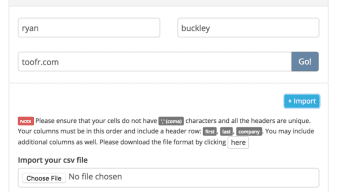
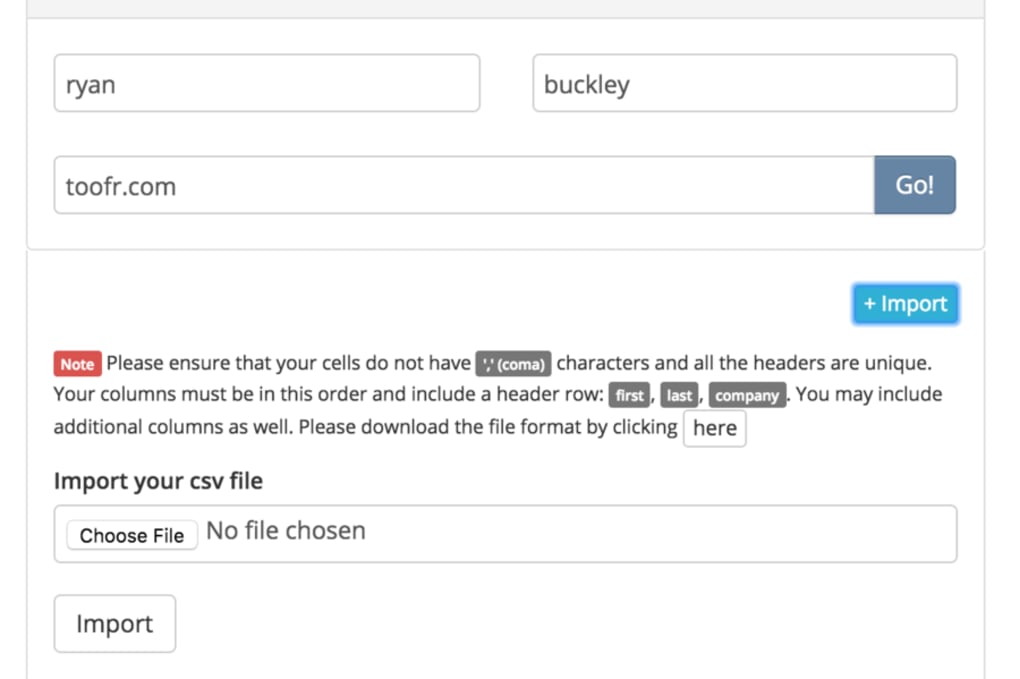
From the dashboard, enter the person’s full name and the company domain (e.g., “Jane Doe” and “example.com”). Click “Find Email”. Within seconds, Toofr returns a list of possible addresses, each labeled with a confidence score based on pattern matching and verification checks.
4. Bulk Upload
For larger campaigns, click the “Bulk Upload” tab. Drag‑and‑drop your CSV/Excel file (required columns: First Name, Last Name, Company Domain). Choose the output format (CSV or JSON) and start the job. You’ll receive an email notification when the batch is complete, and you can download the results directly from the portal.
5. API Integration (Optional)
If you need automated lookups, generate an API key from the “Developer” section. Use the endpoint https://api.toofr.com/v1/lookup with a POST request containing JSON payload (name, domain). The response returns verified emails and confidence levels, allowing you to embed Toofr into your own applications.
All interactions are logged in your account’s activity feed, so you can audit usage, track remaining credits, and export history for compliance purposes.
Pros, Cons, and Frequently Asked Questions
Pros
- High accuracy thanks to real‑time MX verification and pattern learning.
- Scalable bulk processing – suitable for small teams and large enterprises.
- Web‑based interface eliminates the need for OS‑specific installations.
- Transparent pricing with a functional free tier for occasional users.
- Robust API for seamless integration with CRMs and marketing platforms.
Cons
- Bulk uploads are limited to 100 records per hour on lower‑tier plans.
- No desktop client – reliance on internet connectivity.
- Advanced features (API, higher throughput) require a paid subscription.
FAQ
How does Toofr verify that an email address is valid?
Toofr checks the domain’s MX (mail exchange) records to ensure the address can receive mail. It also cross‑references known corporate email patterns and assigns a confidence score based on the match.
Is my data safe when I upload a spreadsheet?
All uploads are encrypted with TLS 1.2 during transit and are stored only for the duration of the processing job. After the results are delivered, the raw data is automatically deleted from Toofr’s servers.
Can I use Toofr on mobile devices?
Yes. The web interface is fully responsive and works on iOS Safari and Android Chrome. The same features—including bulk upload via file picker—are available on smartphones and tablets.
What happens if I exceed my monthly lookup limit?
When you reach the limit, Toofr will pause further searches until the next billing cycle or until you upgrade to a higher‑capacity plan. You’ll receive an in‑app notification before the limit is hit.
Does Toofr comply with GDPR and other privacy regulations?
Yes. Toofr only processes publicly available email patterns and does not store personal data beyond the active session. Users can request deletion of any stored logs at any time.
Conclusion & Call to Action
In the crowded landscape of email‑search tools, Toofr stands out for its blend of accuracy, speed, and cross‑platform accessibility. The combination of real‑time verification, intelligent pattern detection, and a clean web interface makes it a reliable ally for anyone who needs to reach the right contact without guessing. While the free tier is generous enough for occasional users, businesses that rely on high‑volume prospecting will benefit from the paid plans that unlock faster processing and API integration.
If you’re ready to streamline your outreach, improve deliverability, and stay compliant with privacy standards, download Toofr today. Start with the free trial, test the accuracy on a few leads, and upgrade when you see the impact on your response rates. With Toofr’s secure, web‑based solution, you’ll spend less time hunting for emails and more time closing deals.



.png)



